Bingo Bango
Fast, simple, and built for Bingo halls.
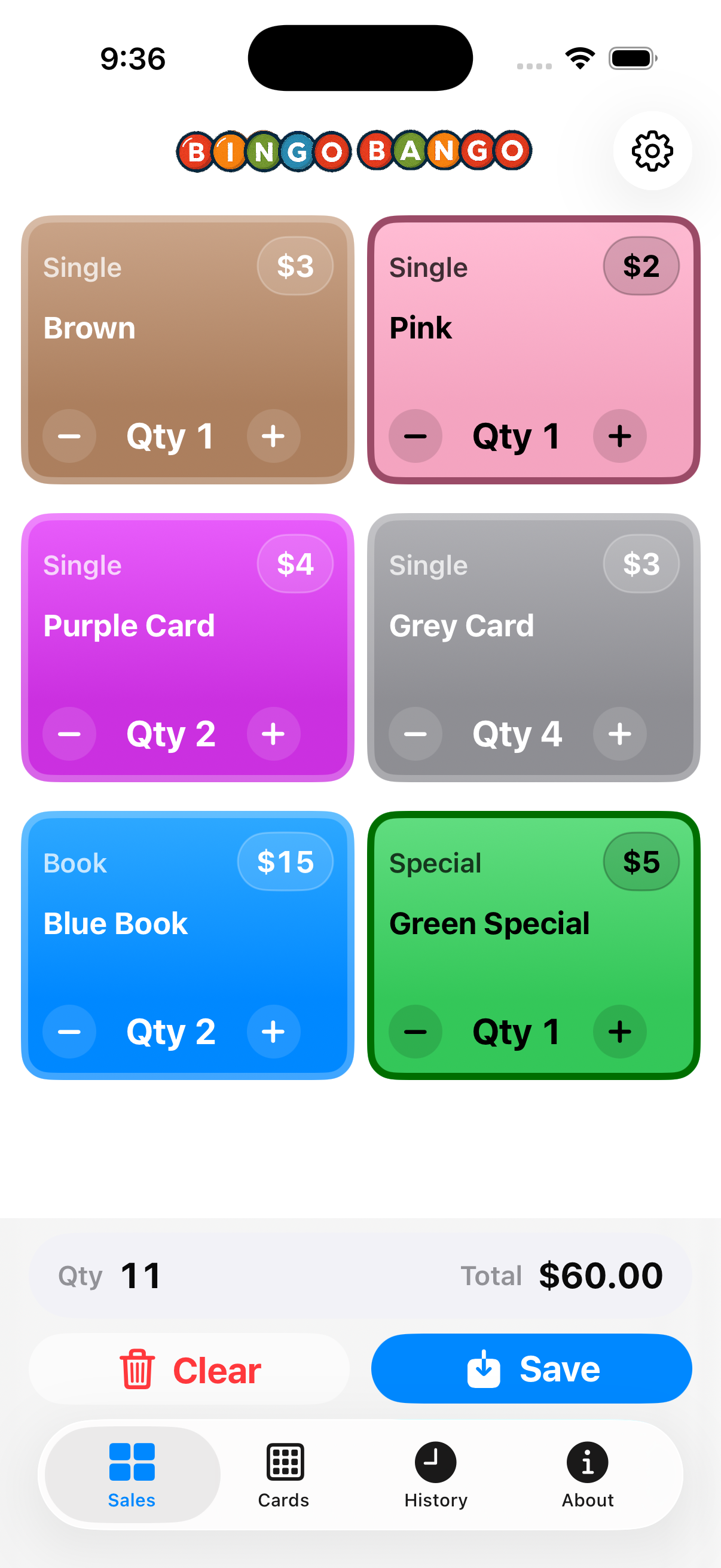
Bingo Bango takes the guesswork out of card sales. Designed for Bingo staff, it acts as a quick, customizable register that makes tallying cards effortless — even on a busy night. Enter prices, track quantities, and let the app handle the math instantly.
Save and export transactions for easy reporting, or customize setups to match your hall’s games. It’s fast, reliable, and built to keep your focus where it belongs — on the players, not the paperwork.
Setting Up Your Game Inventory
The Cards tab is your command center for building your digital inventory. In this video, we’ll show you how to create a custom button for every item you sell—from standard books to striped specials. You’ll learn how to assign prices, categorize items, and pick colors that match your physical paper stock, ensuring your volunteers can find the right button instantly during the sales rush.
Recording Sales & Tracking History
Speed and accuracy are everything when the line is long. In this demonstration, we’ll record three separate transactions to show you just how fast the interface really is. Watch how we simply tap the large, color-coded buttons to add items to the cart—no typing required. The app calculates the total instantly, letting you focus on the customer rather than the math.
Once the sales are recorded, we’ll navigate to the History tab to verify our work. This screen acts as your digital paper trail, logging every single transaction with a timestamp and total. You will see how easy it is to review your recent activity, ensuring you have a perfect running record of your shift and making end-of-night balancing effortless.
Sharing Your Setup & Printing a Poster
Getting your entire team on the same page has never been easier. In this video, we’ll demonstrate how to take the game cards you’ve just created and share them with every volunteer in your hall instantly. We’ll walk you through the Organizer Tools to generate a custom 'Scan Me' poster that contains your exact inventory configuration, prices, and colors embedded right in the QR code.
You will see how to customize the poster with your Hall's name and send it directly to a printer or save it as a PDF. Once printed and hung on the wall, this poster serves as a universal setup station: any volunteer can simply point their phone at the sheet to instantly clone your setup, ensuring everyone is selling the same games at the same prices without manual data entry.